Preventing wars: solving the maze crash in Detective Barbie 2 on modern Windows.
The patch and files can be found in my github repo.
Update: You can download on MyAbandonWare
One day my girlfriend told me that was a childhood Barbie game she used plays a lot. When she showed it to me, I was surprised. I’ve never seen a game with such awful controls, but, yeah…It’s 1999. So, not too long ago, we looked to play this gem and i found the ISO on My Abandon Ware, so we downloaded it. Right from the start, we encountered a problem (actually, a couple of them): when Barbie enters the “maze garden”, the game crashes.
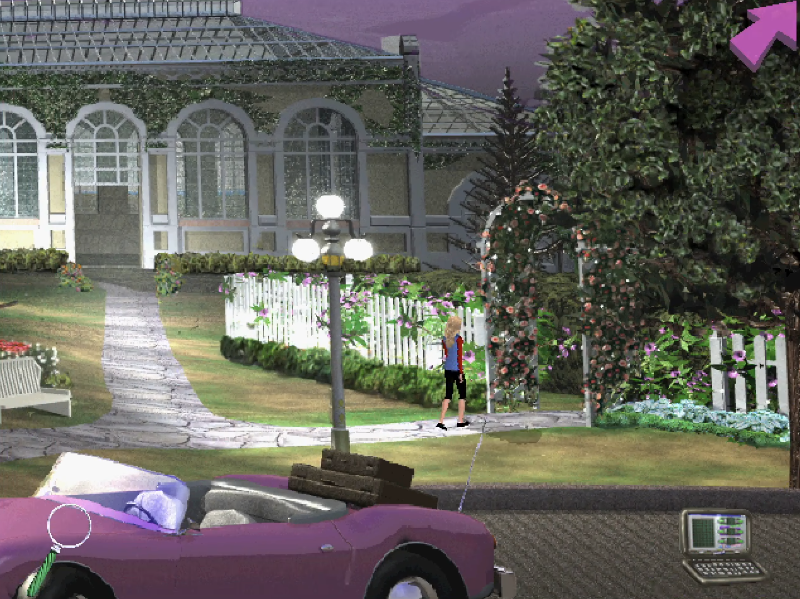
Of course, running an old game on modern operating systems brings problems. The comment section of AbandonWare is proof of that. Actually, to make this game run, you need a Virtual Machine running Windows 95 — which is quite inconvenient. So, I thought we could make this technical contribution to the community (at least try and have fun).
As part of the ‘Detective Barbie Series’, ‘Detective Barbie 2: The Vacation Mystery’ was released for Microsoft Windows in 1999. I’m not sure, but most people probably played this on Windows 95/98, which was a transition period (16 to 32-bit). That’s why we faced the first big problem: the CD-ROM installation.
Installation
Today we don’t use Daemon Tools to mount ISO files anymore; Windows 11 itself has the functionality (which is great). However, current Windows, despite maintaining compatibility with legacy software, is a magic box: you never know what will work or go wrong. The first issue is that SETUP.EXE is for 16-bit systems. This forced me to look for approaches using otvdm, which allows us to execute old 16-bit Windows applications on 64-bit Windows versions. Unfortunately, this approach got stuck in a “no high privileges loop,” and nothing in the world could deal with this.
The second approach was UniExtract3 (to extract files). My logic was: if I can’t use the installer, I’ll just extract the game files myself. That would be good if the installer were only responsible for decompressing files (which I think is true since there were .cab files), but that was another shot in the dark. If there was a hardcoded path referring to the assets, I would possibly introduce a new crash. The last attempt was using a generic installer for Install Shield 3 (which is the same engine used by the Barbie wizard), but, honestly, I don’t even remember why I chose that approach. I just dropped the executable into the same folder and hoped for the best.
In the end, I simply used the auto-installer, setting it to Windows compatibility mode and running as administrator. It worked. :D
Compatibility problems (of course)
With the game installed, let’s begin the real analysis. I started by opening x32dbg and loading d2.exe (the game executable), but here came another problem. If I ran the game through x32dbg and went all the way to the crash site, the game would freeze on a black screen, and I couldn’t proceed with debugging because it refused to minimize. Because of that, I opted to Attach to the game process after running it. Simple, right? No, because a lot of dummy instances of the game were running. Closing them after a crash is a nightmare.
One thing I tried was DxWnd with the objective of “translating” old Windows graphical calls to modern Windows 10/11. I tested with GDI and DirectX configurations, such as 16 BPP for color settings.
Binary analysis with debugger
Before playing the game until the maze garden entrance, I needed to check some settings in the Configs tab. I left Unknown exceptions as default and marked First chance so x32dbg would catch any exception that might occur along the way. My goal was to setup a range like the image below.
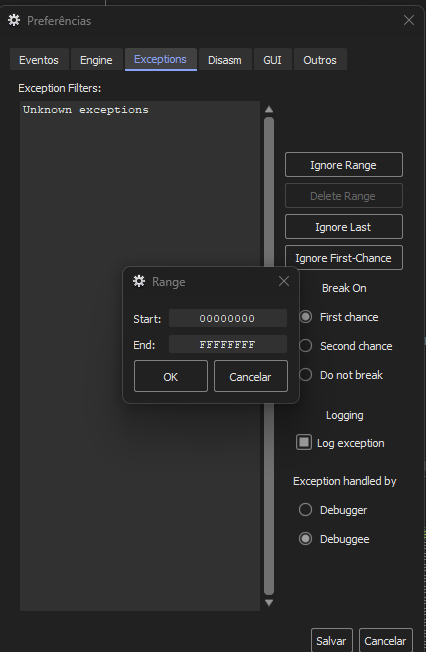
What does this mean? The range [00000000, FFFFFFFF] is chosen here because the d2.exe architecture is 32-bit (x86) — don’t confuse this with the installer, which was 16-bit — so memory is addressed in the range of [0, 2^32 - 1]. 00000000 is the first possible memory address and FFFFFFFF is the last (4 GB). Configuring this means that x32dbg can catch all types of exceptions, regardless of their origin — whether the error comes from game code, a Windows DLL, or the video driver. If any byte inside the accessible memory throws an error, x32dbg will catch it.
The “first chance” simply means that when an exception occurs, x32dbg takes the first action (and pauses the program) before the analyzed program knows about it. The first chance option was crucial to analyze the Stack and registers state at the exact moment of the exception.
When I reached the moment of the crash, the debugger stopped (EIP pointed to address 7644161C) on the instruction ret 4 inside win32u.dll. I was inside a system lib, seeing stubs from syscalls. The ret 4 instruction is specific to the x86 architecture. It is used at the end of a subroutine to return control to the caller and then adjust the stack pointer (ESP) by 4 bytes to remove arguments that were passed. The ret 4 takes one operand (indicating bytes), but variations exist like ret 8, which cleans up 8 bytes (two 32-bit arguments).

For a better investigation, I looked at the value the ESP register pointed to and the memory stack in the debugger.
My best guess is still some kind of compatibility issue between the old graphical interface and modern Windows. The stack area gave some clues.
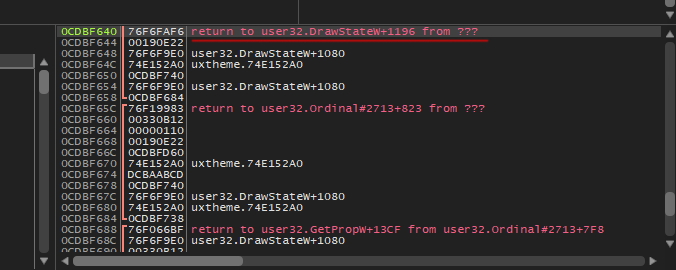
We can see return to user32.DrawStateW+1196. I assume the game asks Windows to draw something on the screen using the DrawState function. Maybe at some point in this drawing process, there was an attempt to adjust some GUI element focus to receive user input (NtUserSetFocus), and that’s where the error appears. I didn’t see much relationship between NtUserSetFocus and the fact that I was inside a syscall, which made debugging even more of a shot in the dark. So, I decided to restart the game, get to the crash site faster, and repeat the process.
 Barbie is thinking.
New clues
In this run, the story changed. On the CPU tab, at line 00474C3C, we can now see push d2.493808 and, on the side (in the debugger comments), the ERROR message. Above that, the instruction call dword ptr ds:[<MessageBoxA>] makes a call to the MessageBoxA standard Windows function (which just shows a message box/alert), and in the end, calls PostQuitMessage.

My new theory is: the game detects an internal problem and decides to inform the user (through a MessageBox), possibly with the “ERROR” text. What I’m not sure about is whether NtUserSetFocus has anything to do with a possible failure when attempting to draw that error box. The win32u crash seems more like a collateral effect of all this.
After this, I took a look at the Call Stack tab again. My current step is d2.00474C50 and the suspect is d2.00407066. The function at 00407066 could be causing this problem by calling the error screen or something similar.
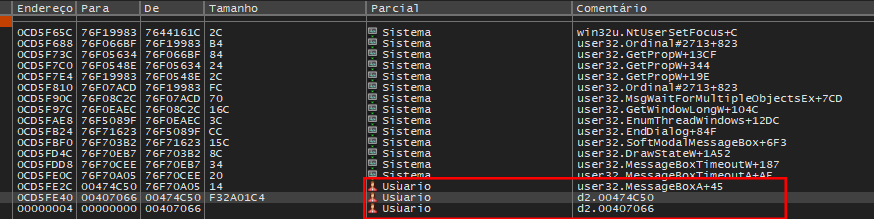
Going to this address (00407066), we are taken to the game code, right after the error function call, where I looked for instructions like CMP or TEST (comparison) and JNZ, JE, and JZ (conditional jumps).
The one to blame
Looking at 00407057, we can see the instruction CMP EAX, EBX. This means the game is comparing two values. EAX usually contains the result of the previous function (I cut it from the screenshot, sorry) and EBX is the expected value (maybe a success code or 0).
The second important line is address 0040705E, referring to the instruction JNE d2.407069. JNE stands for “jump if not equal”. If EAX (result) is different from EBX, the game says: “Ok, all good,” and jumps to address 407069, continuing execution normally. The crash tells us that this comparison resulted in equal values, so the JNE didn’t jump.
Since the jump did not occur, the processor passed to the next line at address 00407061. This line calls a function (CALL d2.474C30), which shows the ERROR message and closes the game.

Patching the binary
Initially, I considered making a wrapper instead of an assembly patch, because a wrapper seemed more secure, but I preferred to take the risk of patching.
The goal is simple: make the game code always jump over this verification, no matter what. So, I changed the jne d2.407069 (opcode 75 09) at address 0040705E to jmp d2.407069 (opcode EB 09). I forced the game to continue even though something went wrong, and it worked (this could have gone very wrong).
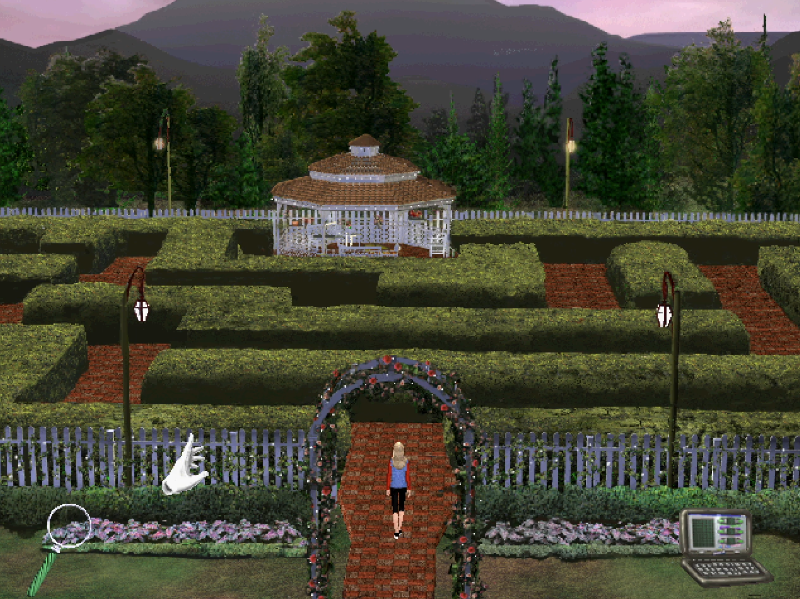
The rest is routine. I created a new executable for the game and posted it on my Github repository.
The game was tested on:
windows 11;
Nvidia RTX 3070
Ryzen 5 3600 6 cores;
Monitor Ultrawide LG 27';